Progress Learning
Teaching today is not easy.
Teachers are under pressure to cover state standards, raise test scores, fill learning gaps, and still keep students engaged. Students, on the other hand, move at different speeds, have different needs, and often feel stressed by tests and grades.
This is exactly where Progress Learning comes in.
In this guide, you’ll see in simple language what Progress Learning is, how it works for K–12 schools, what features it offers, and why so many districts in the US use it to support teachers, students, and administrators. By the end, you’ll have a clear picture of whether it’s worth using in your school or district in 2025.
What Is Progress Learning?
Progress Learning is an online, state standards-aligned learning platform for grades K–12.

Instead of being “just another test prep site,” it combines:
all in one place.
It’s built to match each state’s standards, so teachers don’t have to guess whether a question or lesson fits their curriculum. Students log in, complete assignments, take practice, and view their progress. Teachers get instant data that shows who is on track, who is struggling, and where to focus next.
The main goal is simple: help every student master their state standards with tools that actually save teachers time.
Why Schools Use Progress Learning in 2025
In 2025, schools are dealing with:
Progress Learning directly targets these challenges.

Because it is standards-aligned, data-driven, and designed for K–12, it helps schools:
It is not just about “more content.” It is about smarter content plus useful data.
Core Features Explained Simply
Instead of listing features in a boring way, let’s walk through them as a teacher and student would actually use them.
Assessment & Assignment Builder
Teachers can build quizzes, tests, and assignments inside Progress Learning using:
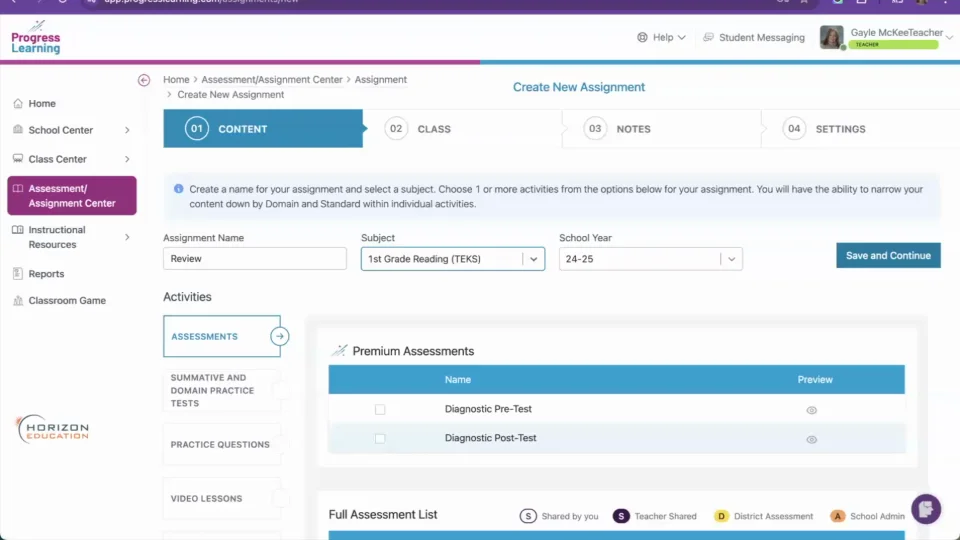
This means a teacher can:
For schools and districts, this is powerful because it creates consistent, standards-aligned assessments across grades, not random tests from different websites.
Independent Practice
Students don’t only learn during whole-class lessons.
The Independent Practice tools give students:
Teachers can use this for:
- Homework
- In-class stations
- Extra practice for students who need more time
Because students can practice at their own pace, it supports both those who are behind and those who are ready to move ahead.
Liftoff: Adaptive Intervention (Grades 2–8)
One of the most important parts of Progress Learning is Liftoff, designed for grades 2–8.
Liftoff is an adaptive intervention tool that:
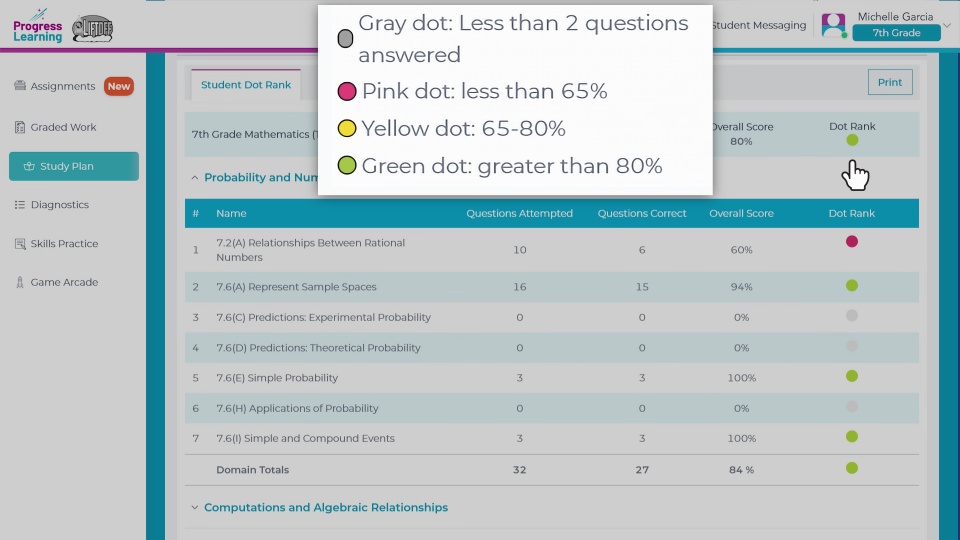
Instead of giving every student the same worksheet, Liftoff makes sure each child is working at the right level. This is especially helpful for RTI/MTSS, intervention classes, and students who have large skill gaps.
Interactive Learning Tools
To keep students engaged, Progress Learning includes:
This matters because many students lose focus when learning is only text or lecture. Interactive tools help:
In short, it turns learning from “sit and listen” into “click, explore, and respond”.
Progress Monitoring Tools
Data is only useful if it’s clear and easy to act on.
Progress Learning gives teachers, schools, and districts:
With these tools, teachers can:
For administrators, district-level views show patterns across grades and schools, helping them make better decisions about curriculum, support, and training.
Remediation Tools
When a student misses a question or fails a skill, the platform can recommend:
This built-in remediation means teachers don’t need to spend hours hunting for resources. They can quickly assign follow-up work that is directly tied to the standard that needs improvement.
Phonics & Instructional Resources
For younger grades and developing readers, Progress Learning includes:
Plus, there are:
These help teachers quickly plan lessons without building everything from zero.
Support for Every Grade Level: K–5, 6–8, and 9–12
One of the strengths of Progress Learning is that it covers all of K–12, not just one band.
Elementary (K–5)
For younger learners, the platform focuses on:
- Phonics and early reading skills
- Foundational math concepts
- Simple, visual practice and games
- Early diagnostics to catch gaps early
Because activities are interactive and age-appropriate, students can build strong foundations without feeling overwhelmed.
Middle School (6–8)
In middle school, the focus shifts to:
- Preparing for state assessments
- Deeper understanding of math, ELA, science, and social studies standards
- Managing learning gaps from earlier grades
Teachers can use the combination of assessments, Liftoff, and independent practice to keep students on track before high school.
High School (9–12)
At the high school level, Progress Learning supports:
- End-of-Course (EOC) exams
- State graduation assessments
- National exams like SAT, ACT, AP, and ASVAB
Students can use the platform to:
- Review key standards
- Practice with test-style questions
- Build confidence before big exams
This makes Progress Learning not only a day-to-day classroom tool, but also a college and career readiness partner.
The Technology Behind Progress Learning
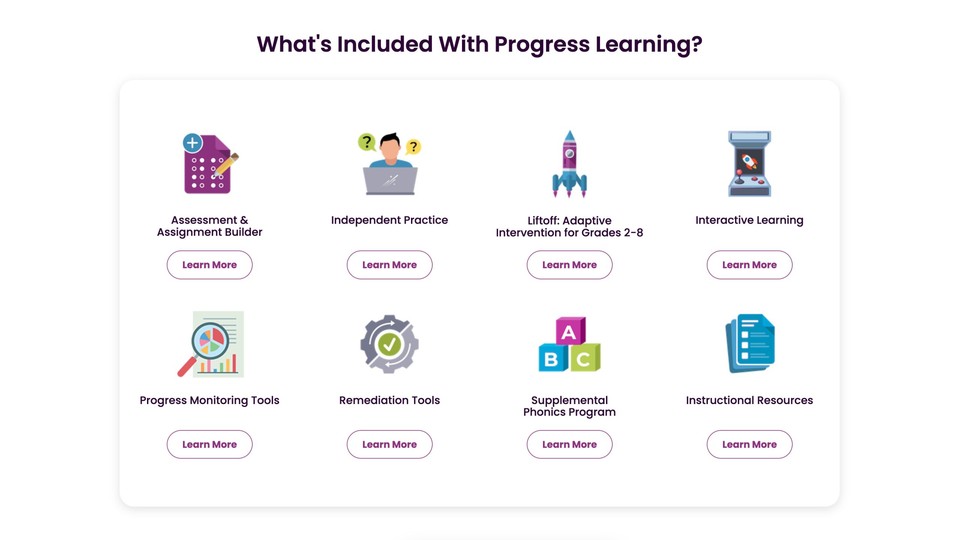
From a technical point of view, Progress Learning is:
Districts can use Clever Secure Sync and similar integrations to:
This reduces setup headaches and helps IT and administrators manage everything smoothly.
Real-World Outcomes and Evidence
Progress Learning is not just a theory.
In multiple districts, studies have shown positive impact on reading performance when teachers actively used the platform. In some cases, students using Progress Learning made greater gains on state reading assessments and MAP tests compared to those who did not use it.
While effect sizes in education are usually modest, even small, statistically significant gains across thousands of students are important. They suggest that:
This kind of research base is one of the reasons districts consider Progress Learning a “promising” solution rather than just another edtech product.
How Teachers Benefit
For teachers, Progress Learning is designed to save time and reduce stress, not increase it.
Some practical benefits include:
Teachers can also use the data output in:
Instead of saying “your child is struggling,” teachers can show specific skills, growth charts, and examples of practice, which makes conversations more focused and productive.
How Students Benefit
For students, Progress Learning feels less like a test and more like guided practice.

They benefit through:
When students can see their own growth in reports or data folders, they often take more ownership of their learning. Progress Learning supports this by making results clear and easy to understand.
Why Progress Learning Stands Out
Many platforms offer practice questions or digital textbooks, but Progress Learning stands out because it combines:
Add on top:
- Tools for digital testing preparation
- Support for ELLs and students with learning gaps
- Flexible use cases (classroom, homework, intervention, test prep)
and you get a solution that can grow with a district instead of being used for only one year and then dropped.
Final Thoughts
If you are a teacher, school leader, or district administrator looking for:
then Progress Learning is absolutely worth considering in 2025.
It supports modern requirements like digital testing, uses data in a meaningful way, and focuses on helping teachers do what they do best: teach students, not just manage tools.
Used consistently and thoughtfully, Progress Learning can become a central part of a district’s strategy to raise achievement, close gaps, and prepare students for the next step—whether that is the next grade, college, or a career.